Split trip costs with friends
On a trip, one friend pays for dinner, another for the train, a third for the rooms. Tarana keeps one list of what was paid and who shared it, and works out who owes whom. The list is in the same app as the plan, so the group doesn’t need a spreadsheet or a second app.
Add a cost when it happens
A cost has four parts:
- what it was for, such as “Dinner in Gion”
- the amount
- who paid
- who it is split between
Tarana splits each cost evenly between the people you pick. Pick everyone for a dinner you all shared. Pick two people for museum tickets only those two used. Everyone on the trip sees the cost as soon as you save it.
See who owes whom
The costs tab shows the trip’s total and where you stand: what you owe, or what you are owed. Under that is a list of payments that would settle the whole trip.
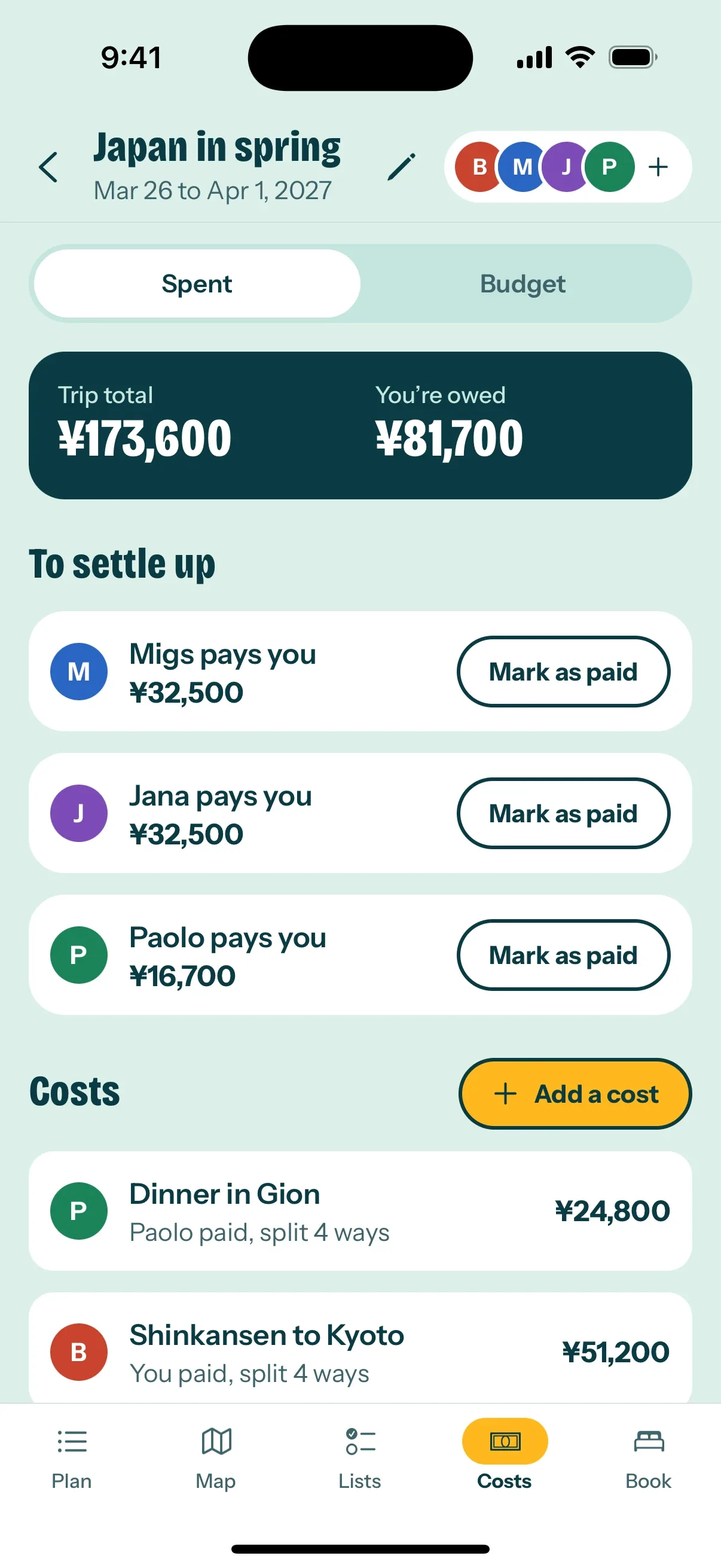
In this example, four friends spent 173,600 yen on a week in Japan. Bea paid for most of it and is owed 81,700 yen. Three payments settle it: Migs pays Bea 32,500, Jana pays Bea 32,500 and Paolo pays Bea 16,700. Nobody has to pay back each dinner and each train ticket one at a time.
Pay each other back
Tarana doesn’t move money. Pay your friend the way you usually do, by bank transfer, an e-wallet or cash, then choose “Mark as paid” next to that payment. Tarana records it and takes the amount off what you owe. When every payment is made, the tab says that everyone is even and nobody owes anything.
Set a budget before you go
Add what you expect to spend on flights, stays, food and the rest. Tarana shows the total for the group and for each person. Once the costs come in, you can see how the spending compares.
Good to know
- A trip has one currency, which you choose when you make the trip. Enter every cost in that currency. If you paid in another one, enter the amount after conversion.
- Every split is even. When a cost isn’t shared evenly, add it as two or more costs, each with the people who shared that part.
- You can change or remove a cost later, and Tarana works out what everyone owes again.
- Everyone who shares a cost has to be on the trip. Friends get the app and join with the trip’s invite code.
Or ask your AI assistant
If you have connected ChatGPT, Claude or another assistant to Tarana, you can tell it instead: “Paolo paid 18,400 yen for dinner and the four of us shared it. Who owes what now?” It records the cost and answers from the same numbers the app shows. How to connect your assistant.